


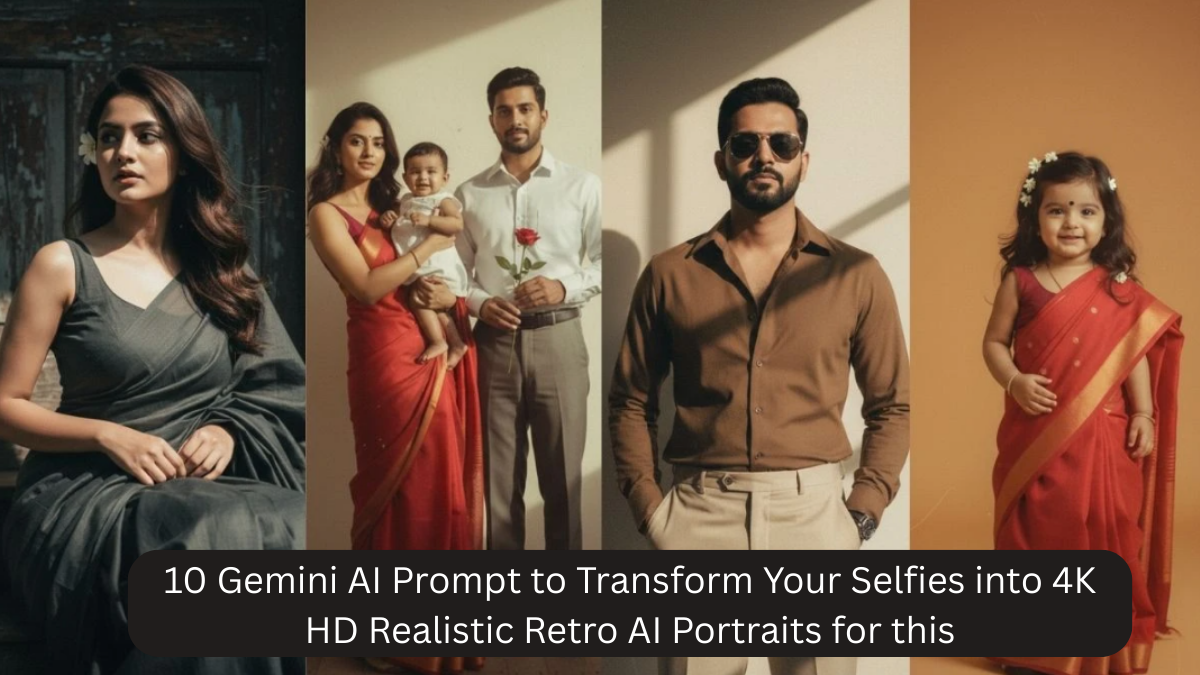
Retro photography has a timeless charm — the soft lighting, cinematic tones, film grain, classic color grading, and nostalgic mood create portraits that feel emotional, artistic, and authentic. With Gemini AI, you can now transform simple selfies into 4K HD realistic retro portraits that look like vintage studio photography from classic eras — without cameras, filters, or editing software.
The secret is using precise AI prompts that guide Gemini to apply:
- vintage lighting
- retro color tones
- film textures
- classic studio aesthetics
- cinematic depth
- natural facial realism
- analog camera effects
- soft shadows
- nostalgic atmosphere

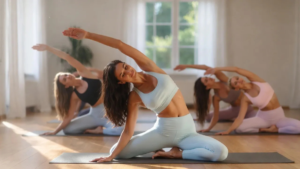
Below are 10 powerful Gemini AI prompts designed to create ultra-realistic retro portraits in 4K HD quality.
How to Use These Prompts
- Upload your selfie into Gemini AI
- Copy any prompt
- Paste it into the input box
- Generate the image
- Download your 4K HD retro portrait
Best results:
- Use clear selfies
- Face should be well-lit
- Avoid heavy shadows
- Neutral background works best
10 Gemini AI Retro Portrait Prompts
1. Classic Vintage Studio Portrait
Prompt:
Transform this selfie into a classic retro 4K HD studio portrait. Use soft vintage lighting, warm nostalgic tones, natural skin texture, film grain, shallow depth of field, analog camera realism, blurred background, cinematic composition, ultra-realistic facial details, and old-school photography aesthetics.
2. 70s Retro Cinematic Portrait
Prompt:
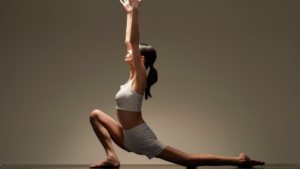
Create a 4K HD 1970s retro cinematic portrait from this selfie. Add warm color grading, soft shadows, vintage film texture, realistic skin tones, classic cinema lighting, shallow focus, cinematic framing, analog photography style, and ultra-realistic detail.
3. 80s Retro Magazine Style Portrait
Prompt:
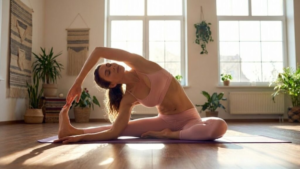
Convert this selfie into an 80s-style retro 4K HD portrait. Use soft studio lighting, classic magazine photography aesthetics, subtle film grain, natural skin texture, nostalgic color palette, cinematic composition, professional analog camera quality, and realistic facial details.
4. Old Hollywood Black & White Portrait
Prompt:
Transform this selfie into a 4K HD old-Hollywood black and white portrait. Use dramatic vintage lighting, soft shadows, high contrast, film grain, classic studio photography style, realistic skin texture, cinematic framing, and ultra-realistic analog film look.
5. Retro Natural Light Portrait
Prompt:
Create a realistic retro 4K HD portrait using soft natural daylight. Apply vintage color grading, warm tones, subtle film grain, realistic facial texture, blurred background, shallow depth of field, analog camera realism, and nostalgic photography style.
6. Classic Film Camera Portrait
Prompt:
Convert this selfie into a classic film camera 4K HD portrait. Use analog photography style, natural skin texture, vintage color tones, cinematic lighting, soft shadows, film grain, shallow depth of field, realistic depth, and ultra-realistic detail.
7. Retro Editorial Portrait
Prompt:
Transform this selfie into a retro editorial 4K HD portrait. Use cinematic lighting, warm nostalgic tones, classic magazine photography style, film texture, realistic skin detail, professional composition, analog camera realism, and high-definition clarity.
8. Vintage Outdoor Portrait
Prompt:
Create a 4K HD vintage outdoor portrait from this selfie. Use soft golden-hour lighting, warm retro tones, natural skin texture, subtle film grain, shallow depth of field, cinematic framing, analog photography realism, and nostalgic atmosphere.
9. Retro Artistic Portrait
Prompt:
Convert this selfie into a retro artistic 4K HD portrait. Apply classic film color grading, soft shadows, warm tones, cinematic lighting, realistic skin texture, analog camera effects, professional photography style, and ultra-realistic depth.
10. Classic Retro Profile Portrait
Prompt:
Transform this selfie into a premium retro 4K HD profile portrait. Use soft vintage lighting, warm nostalgic color grading, natural facial texture, subtle film grain, shallow depth of field, cinematic composition, analog photography realism, and ultra-realistic quality.
Pro Tips for Ultra-Realistic Retro Results
- Always use words like “analog camera,” “film grain,” “vintage lighting,” “retro color grading”
- Add “natural skin texture” to avoid plastic-looking faces
- Use “shallow depth of field” for background blur
- Avoid cartoon or illustration words
- Keep prompts clean and focused
- Add “cinematic composition” for professional framing
- Include “ultra-realistic” and “4K HD”
FAQ
Can Gemini AI create real retro effects?
Yes. With proper prompts, Gemini can simulate film grain, vintage lighting, and analog photography realism.
Will it look fake or artificial?
No, if you use “natural skin texture” and “ultra-realistic” in your prompts.
Can these prompts work on phone selfies?
Yes, even normal selfies work well.
Are these portraits good for social media?
Yes, they are perfect for Instagram, Facebook, and profile pictures.
Can I customize the era?
Yes. You can add “60s,” “70s,” “80s,” or “90s” in the prompts.
Can I use these prompts for branding?
Yes, they work well for personal branding and creative portfolios.
Conclusion
With the power of Gemini AI, transforming everyday selfies into 4K HD realistic retro portraits is now simple and accessible. The right prompts allow you to recreate the timeless beauty of classic photography — from warm vintage tones to cinematic lighting and film textures.
These prompts help you create:
- Nostalgic visuals
- Cinematic depth
- Professional photography style
- Retro aesthetics
- Ultra-realistic portraits
- High-definition quality
Whether for creative expression, social media, digital art, or personal branding, retro AI portraits bring a timeless elegance that modern filters can’t match.