
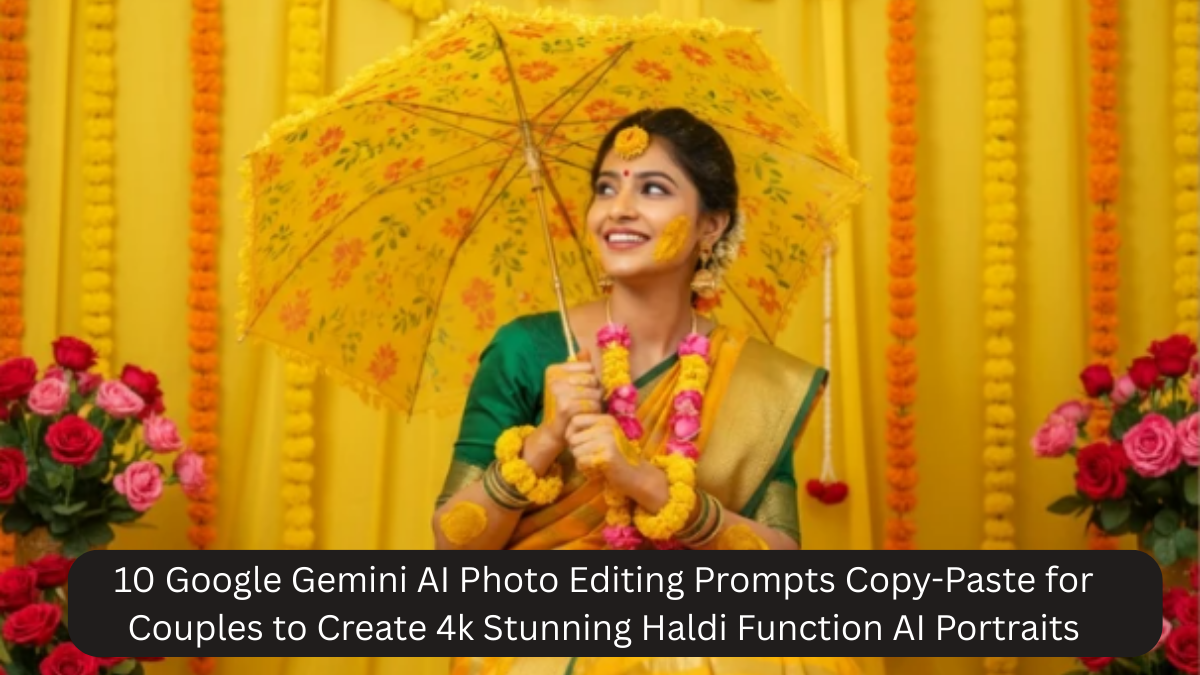
Capturing the vibrant and joyous moments of a Haldi ceremony is a special part of Indian wedding traditions. The bright yellow turmeric, marigold decorations, festive attire, and candid smiles of the couple create memories that deserve to be preserved beautifully. With the advancement of AI-powered tools like Google Gemini, couples can now transform even casual Haldi photographs into stunning 4K portraits with cinematic quality. AI photo editing allows for precise enhancement of colors, lighting, textures, and details, making every image feel professional and timeless.
In this article, we will explore 10 copy-paste Google Gemini AI prompts specifically designed for Haldi function portraits, explain how they work, and provide tips for achieving the best results. Whether you are a professional photographer, a wedding enthusiast, or a couple wanting to enhance your wedding memories, these prompts are perfect for creating high-quality AI-edited portraits.
Why Use Google Gemini AI for Haldi Photos?

Before diving into the prompts, it’s important to understand why Google Gemini AI is ideal for editing Haldi photographs:
- 4K Ultra-High Resolution: Gemini AI generates sharp, detailed images that are perfect for prints and digital albums.
- Color Enhancement: Haldi ceremonies are rich in yellow and orange tones. AI prompts can intensify these colors while maintaining natural skin tones.
- Professional Editing in Seconds: Gemini AI can replicate professional wedding photography techniques like soft bokeh backgrounds, HDR effects, and cinematic lighting without extensive manual editing.
- Consistency Across Photos: Using AI prompts ensures all Haldi photos have a uniform aesthetic, ideal for wedding albums.
- Creative Control: Couples can specify outfits, lighting, backgrounds, and moods to create customized portraits.
Using AI doesn’t replace professional photography but enhances it by turning every shot into a frame-worthy portrait.
10 Copy-Paste Google Gemini AI Prompts for Haldi Couple Portraits
Here are 10 ready-to-use prompts that can be directly pasted into Google Gemini AI for stunning results:
Prompt 1
“Edit this photo into a 4K ultra-high resolution Haldi function couple portrait with vibrant traditional Indian colors, cinematic lighting, natural skin tones, soft background bokeh, bright yellow and marigold accents, warm film style, joyful expressions, professional portrait retouching, sharp details, artistic depth, high-contrast finish, Indian wedding mood.”

Prompt 2
“Transform this image into a 4K Haldi ceremony couple portrait with rich golden highlights, gorgeous yellow drapes, turmeric pigment texture visible, soft glowing skin, romantic lighting, shallow depth of field, premium wedding portrait style, smooth retouch, vivid colors, tangible celebration feel.”
Prompt 3
“Create a stunning 4K Haldi function portrait of the couple, with colorful floral garlands, gentle HDR enhancement, luminous warm tones, crisp focus on faces, dreamy wedding aesthetic, enhanced eyes, delicate skin smoothness, subtle background blur, high-end fashion editorial look.”
Prompt 4
“Convert this photo into a 4K Haldi couple portrait with sunlit golden glow, rich warm tones, dynamic contrast, artistic pastel highlights, soft artistic vignette, elegant natural poses, bright turmeric color enhancement, flawless finishing, and professional wedding photography feel.”

Prompt 5
“Make a 4K ultra-realistic Haldi function portrait of this couple, emphasize turmeric splashes on faces, deep warm sunset lighting, elegant skin retouching, vibrant yellow outfit tones, soft cinematic shadows, romantic depth of field, luxury wedding portrait edit.”
Prompt 6
“Generate a 4K premium Haldi portrait of the couple with vibrant traditional attire, delicate floral and marigold details, soft golden glow, film-like tones, smooth complexion, crisp textured background, refined lighting balance, high-definition Indian wedding portrait style.”
Prompt 7
“Transform this image into a 4K Haldi ceremony couple portrait with bold color grading, rich saffron and yellow hues, soft bokeh background, defined facial features, subtle skin retouching, high dynamic range, artistic wedding portrait vibe, timeless and joyful expressions.”
Prompt 8
“Produce a 4K breathtaking Haldi couple portrait with warm ambient lighting, rich cultural tones, enhanced vibrant yellows, soft romantic blur in the background, professional studio finish, intricate costume details, glossy yet natural skin tones, elegant depth of focus.”
Prompt 9
“Create a 4K gorgeous Haldi function portrait of this couple with dreamy warm lighting, subtle glow effect, high-end editorial look, golden turmeric highlights, sharp artistic details, smooth skin finish, cheerful and intimate expressions, balanced colors and contrast.”
Prompt 10
“Edit into a 4K captivating Haldi wedding portrait with radiant golden tones, flawless couple beauty retouch, bright festive colors, soft artistic lighting, crisp textures, enhanced floral elements, professional wedding album aesthetic, immersive cultural vibe.”
How to Use These Prompts Effectively
- Include Subject Details: Describe the couple, their attire, expressions, and poses for more accurate AI results.
- Example: “Young Indian couple smiling, bride wearing yellow lehenga, groom in beige kurta”
- Specify Lighting Preferences: Mention natural sunlight, soft glow, or studio lighting.
- Add Background Information: Include decor elements like marigold garlands, Haldi tray, or a traditional mandap.
- Adjust Style References: Include photography style references such as “cinematic wedding portrait,” “soft bokeh,” or “Kodak Portra film look.”
- Resolution & Aspect Ratio: Always specify 4K, 16:9 aspect ratio, ultra-sharp focus for high-quality outputs.
Following these tips ensures that the AI-generated images look realistic, vibrant, and professional.
Benefits of Using Google Gemini AI for Haldi Photos
- Time-Saving: Edit multiple photos quickly without manual retouching.
- High Customization: You control colors, lighting, mood, and textures.
- Enhanced Aesthetic: AI can replicate professional photography techniques effortlessly.
- Consistency: Uniform style across all images makes your album look cohesive.
- Memorable Visuals: High-resolution 4K portraits are perfect for prints, albums, and social media.
Tips to Make Your AI-Edited Haldi Portraits Stand Out
- Capture Candid Moments: Natural expressions are enhanced beautifully with AI.
- Focus on Details: Ensure turmeric stains, marigold flowers, and jewelry are visible; AI can emphasize these.
- Use Bright Colors: Haldi ceremonies are vibrant; AI prompts can make colors pop.
- Balance Retouching: Avoid over-smoothing faces; subtle retouching looks natural.
- Experiment with Angles: Different poses, side views, and close-ups work well for AI enhancement.
Why Couples Are Loving AI-Edited Haldi Portraits
Haldi ceremonies are full of joy, laughter, and intimacy. Couples want to preserve these memories in a visually striking way. Google Gemini AI helps:
- Enhance festive vibes with vibrant colors and textures.
- Highlight the couple’s emotions and candid moments.
- Add cinematic lighting and professional-quality effects to casual photos.
- Save time and effort compared to manual photo editing.
AI-edited portraits allow couples to share stunning images instantly on social media, send them to family, or include them in wedding albums.
Common FAQs About AI-Edited Haldi Portraits
Q1: Can AI really make casual Haldi photos look professional?
Yes. Google Gemini AI uses advanced editing techniques to enhance color, lighting, and sharpness, giving even simple photos a polished, professional look.
Q2: Is 4K resolution necessary?
4K ensures high detail and clarity for prints, social media, or wedding albums. Higher resolution preserves textures like turmeric and floral decorations.
Q3: Are these prompts beginner-friendly?
Absolutely. The prompts are ready-to-use; just paste them into Google Gemini AI and adjust subject details if needed.
Q4: Can I customize the style?
Yes. You can specify lighting, background, colors, and overall mood to match your vision.
Q5: Do I need photography experience?
No. Even casual Haldi photos can be transformed into stunning portraits with AI prompts.
Q6: Can AI preserve natural skin tones?
Yes. These prompts are designed to maintain natural skin tones while enhancing brightness and color vibrancy.
Q7: Can AI highlight turmeric and marigold details?
Definitely. AI can accentuate these cultural elements, making the photo more lively and festive.
Q8: Are AI-edited photos suitable for print?
Yes. 4K resolution ensures sharp, high-quality prints for albums or frames.
Q9: Can I edit multiple photos at once?
Yes, Google Gemini AI supports batch processing using similar prompts for a consistent style.
Q10: Is AI a replacement for a professional photographer?
No. AI enhances photos but works best with well-captured images. Combining AI editing with good photography yields the best results.
Conclusion
Google Gemini AI has revolutionized the way couples preserve Haldi memories. With ready-to-use AI prompts, anyone can turn simple Haldi photos into stunning 4K portraits that highlight vibrant colors, joyful expressions, and intricate cultural details. From turmeric-streaked faces to marigold decorations, every detail can be emphasized while maintaining a natural and cinematic aesthetic.
By combining these prompts with thoughtful subject descriptions, lighting preferences, and background details, couples can create professional-quality wedding portraits without spending hours on manual editing. The result is a collection of memorable, high-resolution images that capture the energy, emotion, and celebration of the Haldi ceremony.
Whether for social media, wedding albums, or framed keepsakes, AI-edited Haldi portraits provide a timeless, vibrant, and joyful way to preserve the magic of this special pre-wedding ritual.