
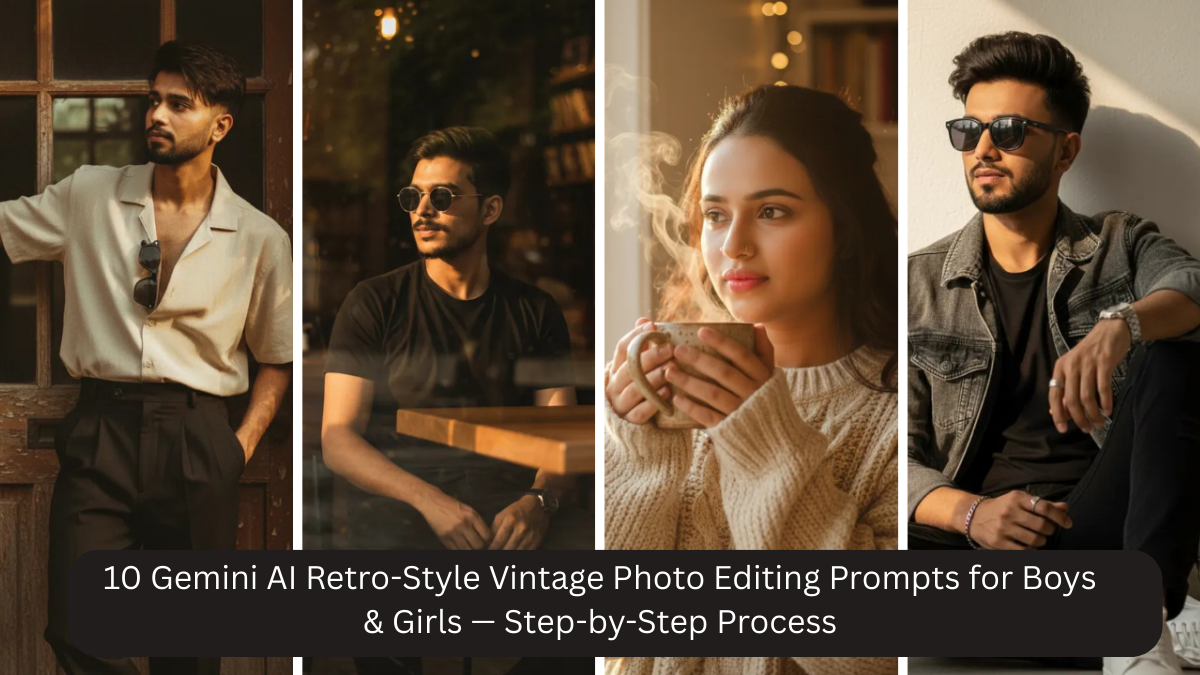
Retro and vintage photography has a timeless charm that modern digital photos often lack. The soft lighting, muted colors, gentle film grain, and emotional depth of vintage images create a feeling of nostalgia and authenticity. Today, thanks to Google Gemini AI, anyone can recreate this classic vintage look using simple photos and well-written prompts—no film camera, studio setup, or advanced editing skills required.
In this article, you’ll learn exactly how to create retro-style vintage photos using Gemini AI, even if you’re a beginner. We’ll cover the step-by-step process, explain what makes a photo look truly vintage, and provide 10 copy-paste Gemini AI prompts that work beautifully for both boys and girls.
What Is Retro-Style Vintage Photo Editing?

Retro-style vintage photo editing is inspired by old film cameras and classic photography styles from past decades. Unlike modern edits that focus on sharpness and bold colors, vintage edits are intentionally softer and more emotional.
Key characteristics of retro-style vintage photos include:
- Muted or pastel color tones
- Soft natural or window lighting
- Subtle film grain texture
- Lower contrast and gentle shadows
- Natural skin texture without heavy smoothing
- Calm, nostalgic mood
The goal is not perfection, but emotion and realism. A good vintage photo feels like a memory, not a filter.
Why Use Gemini AI for Vintage Photo Editing?

Google Gemini AI is especially effective for vintage photo editing because it understands:
- Natural lighting behavior
- Realistic skin tones and textures
- Depth of field similar to DSLR cameras
- Film-style color grading
- Subtle grain and texture
With the right prompt, Gemini AI can transform a simple phone photo into a professional-looking retro portrait that feels authentic rather than artificial.
Who Can Use These Vintage Prompts?
These prompts are perfect for:
- Boys and girls creating aesthetic profile pictures
- Instagram and Pinterest creators
- Students and beginners with no editing experience
- Anyone who wants timeless, emotional photos
- Personal albums, reels, and creative projects

You don’t need a high-end camera—a clear mobile photo is enough.
Step-by-Step Process to Create Retro Vintage Photos Using Gemini AI
Step 1: Choose the Right Base Photo
The quality of the final result starts with the base image.
Best practices:
- Face should be clearly visible
- Use natural daylight if possible
- Avoid heavy beauty filters
- Simple background works best
- Neutral or calm expression
Window light or outdoor shade is ideal. Even an average selfie can work if lighting is soft.
Step 2: Decide the Vintage Mood
Before choosing a prompt, decide the mood you want:
- Warm or cool tones
- Indoor or outdoor setting
- Romantic, calm, or cinematic feel
- Color or black & white
Vintage photos are about mood, so clarity here helps Gemini AI deliver better results.
Step 3: Copy & Paste a Gemini AI Prompt
Upload your photo to Gemini AI and paste one of the prompts below. Avoid mixing too many styles in one prompt—simple and focused prompts work best.
Step 4: Review and Fine-Tune
If the result feels too modern or too strong:
- Reduce contrast
- Ask for “subtle film grain”
- Add “natural skin texture”
- Adjust color tone (warm, muted, pastel)
Small wording changes can significantly improve realism.
Step 5: Export in High Resolution
Always export your final image in 4K resolution or higher. This ensures:
- Better Instagram quality
- Print-ready photos
- Cleaner details
10 Gemini AI Retro-Style Vintage Photo Editing Prompts (Copy-Paste Ready)
Prompt 1: Classic Vintage Portrait
Create a 4K ultra-high resolution retro vintage portrait with muted color tones, soft natural lighting, subtle film grain, shallow depth of field, natural skin texture, and a timeless nostalgic atmosphere.
Prompt 2: Soft Pastel Vintage Look
Transform this photo into a soft vintage portrait with pastel color grading, gentle shadows, realistic skin texture, subtle grain, and classic film photography aesthetics.
Prompt 3: Outdoor Retro Aesthetic
Edit this image into an outdoor retro portrait with diffused sunlight, warm muted tones, shallow depth of field, film-style texture, and natural facial details.
Prompt 4: Cozy Indoor Vintage Mood
Generate a cozy indoor vintage portrait with soft window lighting, warm color palette, gentle shadows, subtle film grain, and realistic DSLR-style depth.
Prompt 5: Editorial Retro Style
Create a high-quality editorial retro portrait with muted cinematic tones, clean background, soft lighting, subtle grain, and professional vintage photography look.
Prompt 6: Romantic Vintage Portrait
Transform this photo into a romantic vintage portrait with soft warm lighting, pastel hues, shallow depth of field, gentle film grain, and emotional nostalgic mood.
Prompt 7: Minimal Retro Portrait
Generate a minimal retro portrait with a clean background, soft studio lighting, muted tones, natural skin texture, and timeless vintage aesthetic.
Prompt 8: Golden Hour Vintage Look
Edit this image into a golden hour vintage portrait with warm sunlight, soft highlights, subtle film grain, shallow focus, and classic analog photography feel.
Prompt 9: Black and White Vintage Film
Create a black and white vintage portrait with balanced contrast, soft lighting, subtle film grain, natural skin texture, and timeless film photography style.
Prompt 10: Timeless Film-Inspired Portrait
Transform this photo into a timeless film-inspired vintage portrait with natural lighting, muted pastel tones, gentle shadows, subtle grain, and authentic retro atmosphere.
Why These Prompts Work So Well
These prompts are effective because they:
- Emphasize realism over heavy effects
- Use subtle film grain instead of harsh textures
- Preserve natural skin details
- Avoid over-saturation and sharpness
- Mimic DSLR and film camera depth
This balance creates photos that feel authentic and emotional, not digitally edited.
Tips for More Realistic Vintage Results
- Always include “natural skin texture”
- Use “subtle film grain” instead of heavy grain
- Avoid words like “glam,” “beauty,” or “plastic skin”
- Keep expressions calm and relaxed
- Use neutral or pastel clothing
Less editing leads to better vintage photos.
Common Mistakes to Avoid
- Over-sharpening faces
- Excessive contrast
- Neon or overly bright colors
- Mixing modern glam with vintage style
- Harsh artificial lighting
Vintage photography should feel soft and timeless.
Frequently Asked Questions
Q1: Can I use mobile photos?
Yes, mobile photos work perfectly with good lighting.
Q2: Will Gemini AI change my face?
No, these prompts prioritize realistic facial features.
Q3: Are these photos good for Instagram and printing?
Yes, 4K output is ideal for both.
Q4: Can boys and girls both use these prompts?
Absolutely. These prompts are gender-neutral and adaptable.
Q5: Can I customize colors or mood?
Yes, you can easily add beige, sepia, warm, or pastel tones.
Conclusion
Retro-style vintage photography is about emotion, softness, and storytelling. With Google Gemini AI, creating this look is now accessible to everyone. By following the step-by-step process and using the 10 carefully designed prompts in this article, boys and girls can transform ordinary photos into realistic, DSLR-quality vintage portraits that feel timeless and authentic.
You don’t need expensive cameras or advanced editing knowledge—just a clear photo, the right prompt, and a creative vision. Vintage photography isn’t about perfection; it’s about feeling. And with Gemini AI, that feeling is only a prompt away.