
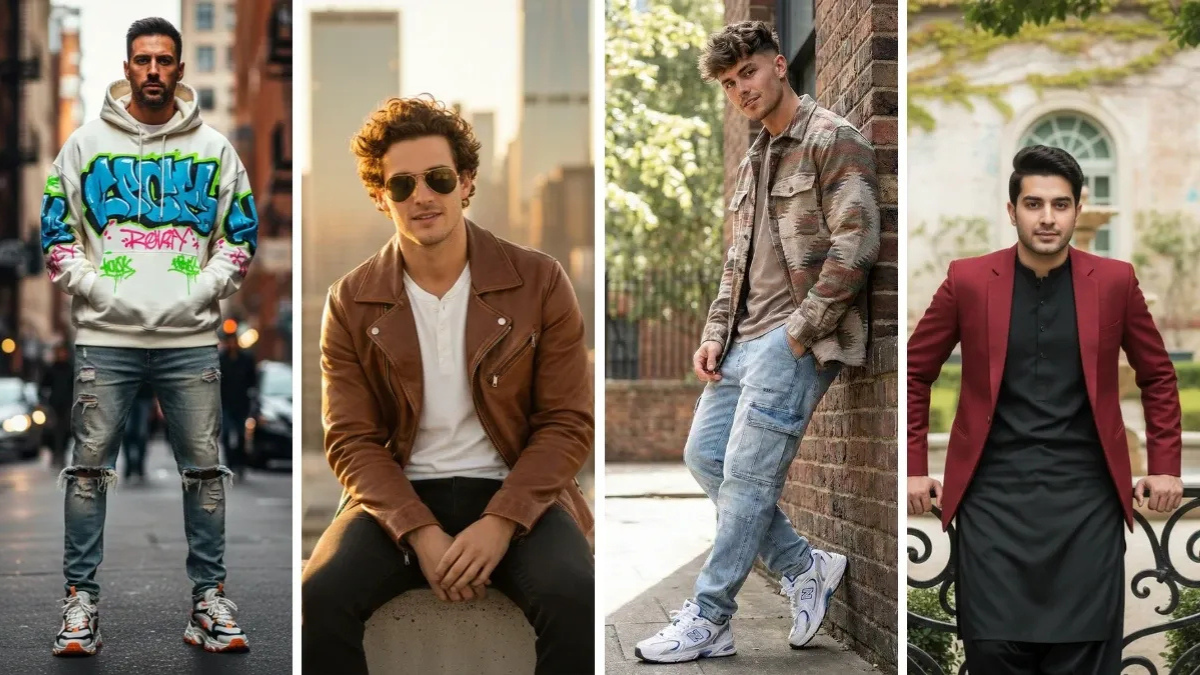
In the era of digital photography and artificial intelligence, creating stunning portraits has become more accessible than ever. Google Gemini AI, a cutting-edge AI-driven photo editing tool, allows users to transform ordinary photos into professional-quality 4K HD images. Men, in particular, can benefit from specific prompts that enhance facial features, textures, lighting, and overall aesthetics to achieve a polished and visually striking portrait. In this article, we explore the 13 best Google Gemini AI photo editing prompts for men that guarantee exceptional results. Each prompt has been carefully designed to optimize various aspects of portrait photography, ensuring that every detail—from skin texture to lighting balance—is perfected.
1. Classic Professional Headshot
Prompt Example: “Enhance this portrait into a professional 4K HD headshot. Smooth skin, subtle lighting, sharp eyes, natural background blur.”

This prompt is ideal for business profiles, LinkedIn photos, or corporate presentations. Google Gemini AI focuses on creating a clean, professional look. It emphasizes sharp facial features, soft skin tones, and a natural bokeh effect in the background. The AI enhances details such as eye clarity and jawline definition without making the image appear artificial.
Tip: Make sure the original image has decent lighting to maximize the AI’s editing potential.
2. Cinematic Lighting Portrait
Prompt Example: “Transform this image into a cinematic portrait in 4K HD. Dramatic shadows, warm golden highlights, and rich contrast.”
Cinematic lighting adds depth and storytelling to a portrait. With this prompt, Google Gemini AI simulates studio-quality lighting, making shadows and highlights more pronounced. It works well for men’s portraits in creative industries, social media, or personal branding, adding a sense of drama and intensity.
Tip: Experiment with light direction in the original photo for varied cinematic effects.
3. Rugged Outdoor Look
Prompt Example: “Create a rugged, masculine 4K HD portrait with natural outdoor lighting, textured skin, and earthy tones.”

This prompt is perfect for showcasing a natural, outdoor persona. Google Gemini AI enhances textures like facial hair, skin roughness, and clothing details while keeping the image crisp. It’s great for adventurers, athletes, or lifestyle photography.
Tip: Use images captured in natural light for the best result, as the AI enhances already existing outdoor tones.
4. High-Definition Black and White Portrait
Prompt Example: “Convert this portrait to 4K HD black and white. Emphasize facial features, deep shadows, and subtle highlights.”
Black and white photography emphasizes contrast, textures, and emotion. Google Gemini AI enhances sharpness and detail in monochromatic tones, making facial expressions more pronounced. This style is ideal for artistic or editorial portraits.
Tip: Ensure facial features are well-defined in the original image to get the most impact in black and white.
5. Soft Glam Look
Prompt Example: “Edit this image to a soft glam 4K HD portrait. Smooth skin, glowing highlights, subtle eye enhancement, and soft focus background.”
Soft glam portraits are widely used in lifestyle and fashion photography. The AI enhances facial features gently, creating a polished and approachable look without overdoing it. Skin appears flawless, eyes sparkle subtly, and the background is softly blurred to keep the focus on the subject.
Tip: This prompt works best with medium-close shots where facial details are visible.
6. Fitness and Athletic Vibe
Prompt Example: “Enhance this photo into a 4K HD athletic portrait. Defined muscles, natural sweat glow, strong jawline, and high contrast lighting.”
For men in fitness or modeling, this prompt emphasizes physical features such as muscle definition, skin texture, and overall strength. Google Gemini AI adds vibrancy to the skin, highlights shadows for depth, and maintains realism to avoid an artificial appearance.
Tip: Take a photo with good natural light or soft studio lighting to allow the AI to highlight muscles effectively.
7. Vintage Retro Portrait
Prompt Example: “Transform this image into a 4K HD vintage retro portrait. Sepia tones, film grain texture, soft focus edges, and classic lighting.”
Vintage-inspired photos add a nostalgic charm to portraits. Google Gemini AI applies color grading, film grain, and soft lighting to mimic classic film photography. This prompt is ideal for storytelling or social media profiles looking for a timeless aesthetic.
Tip: Original photos with simple backgrounds work best for retro effects.
8. Artistic Painterly Style
Prompt Example: “Edit this portrait into a 4K HD painterly artwork. Soft brush textures, enhanced lighting, rich colors, and artistic detail.”
If you want a portrait to look like a fine art painting, this prompt allows Google Gemini AI to simulate brush strokes, depth, and color blending. It’s a creative option for personal projects or unique social media content.
Tip: Medium-close or close-up shots are ideal for capturing intricate details in a painterly style.
9. Sharp Editorial Look
Prompt Example: “Create a high-fashion editorial 4K HD portrait. Sharp details, strong contrast, vibrant colors, and modern studio lighting.”
Editorial portraits require precision and boldness. Google Gemini AI enhances facial details, textures, and colors while keeping a professional, magazine-ready style. This prompt is suitable for models, influencers, or anyone needing a strong visual presence.
Tip: Use a high-resolution original photo to allow the AI to emphasize every detail effectively.
10. Moody Low-Light Portrait
Prompt Example: “Enhance this low-light portrait into 4K HD. Soft shadows, subtle highlights, deep contrast, and moody cinematic vibe.”
Low-light photography can create a dramatic and intimate feel. Google Gemini AI enhances visibility while preserving shadows and ambiance. It’s perfect for artistic shoots, nightlife portraits, or emotional storytelling.
Tip: Avoid completely dark images; the AI works best with some visible light in the original photo.
11. Luxury Lifestyle Portrait
Prompt Example: “Transform this image into a 4K HD luxury lifestyle portrait. Elegant lighting, smooth skin, subtle reflections, and premium ambiance.”
For portraits that exude sophistication, this prompt emphasizes a luxurious look. Google Gemini AI enhances textures, lighting, and background elements to create a high-end feel. It’s perfect for personal branding, social media, or luxury product promotions.
Tip: Include elements like upscale clothing or subtle background hints of elegance for maximum effect.
12. Dramatic Expression Portrait
Prompt Example: “Create a 4K HD portrait emphasizing dramatic expression. Enhance eyes, jawline, and facial tension, with soft background blur.”
This prompt is ideal for theatrical or expressive portraits. Google Gemini AI focuses on the emotional intensity of the subject, sharpening key features while subtly softening the background to emphasize mood and personality.
Tip: Encourage expressive poses in the original photo to allow the AI to enhance emotion authentically.
13. Casual Lifestyle Portrait
Prompt Example: “Enhance this casual portrait into a 4K HD lifestyle image. Natural lighting, warm tones, smooth skin, and subtle background detail.”
Casual lifestyle portraits are perfect for social media or personal branding. Google Gemini AI enhances the photo without making it look overly edited. Skin tones are natural, eyes are bright, and the environment is subtly refined for an approachable, relaxed feel.
Tip: Natural, candid shots work best for this prompt, as the AI preserves authenticity.
Frequently Asked Questions (FAQs)
1. Can Google Gemini AI really produce 4K HD quality portraits?
Yes, Google Gemini AI is capable of enhancing photos to 4K HD resolution, preserving details in the eyes, skin, and textures while refining lighting and colors. The quality depends on the resolution of the original photo—higher resolution images yield better results.
2. Do these prompts work for all skin tones?
Absolutely. Google Gemini AI is designed to enhance portraits while maintaining natural skin tones. Each prompt adjusts lighting, color balance, and contrast to complement the subject’s unique complexion.
3. Will using these prompts make the image look artificial?
No. These prompts are tailored to enhance features subtly while keeping the portrait realistic. However, overusing multiple enhancements can risk an unnatural appearance, so moderation is key.
4. Can I use these prompts for group photos?
While these prompts are optimized for individual portraits, they can be adapted for group photos. Some adjustments may be needed to balance lighting and detail across multiple subjects.
5. Is prior editing knowledge necessary?
Not at all. Google Gemini AI is user-friendly. Simply entering the prompt is enough for the AI to execute complex edits, making it accessible for both beginners and professionals.
Conclusion
Creating stunning 4K HD portraits for men has never been easier thanks to Google Gemini AI. By using the right prompts, you can enhance facial features, textures, lighting, and overall aesthetics to produce professional-grade photos. From classic headshots to cinematic, dramatic, or artistic styles, there is a prompt for every purpose.
The 13 prompts outlined in this guide provide a solid starting point for any man looking to elevate his portrait photography. Whether it’s for social media, professional profiles, creative projects, or personal keepsakes, these prompts make AI photo editing simple, effective, and highly customizable. By experimenting with different prompts and understanding the strengths of each style, you can create portraits that not only look professional but also reflect personality, mood, and style.
With Google Gemini AI, the possibilities are limitless. Every man can now achieve the high-definition, visually striking portraits that were once possible only through professional studios, lighting equipment, and expert retouching.